 EN
EN UA
UA PL
PL DE
DE IT
IT FR
FR ES
ESA waitlist that fills the room
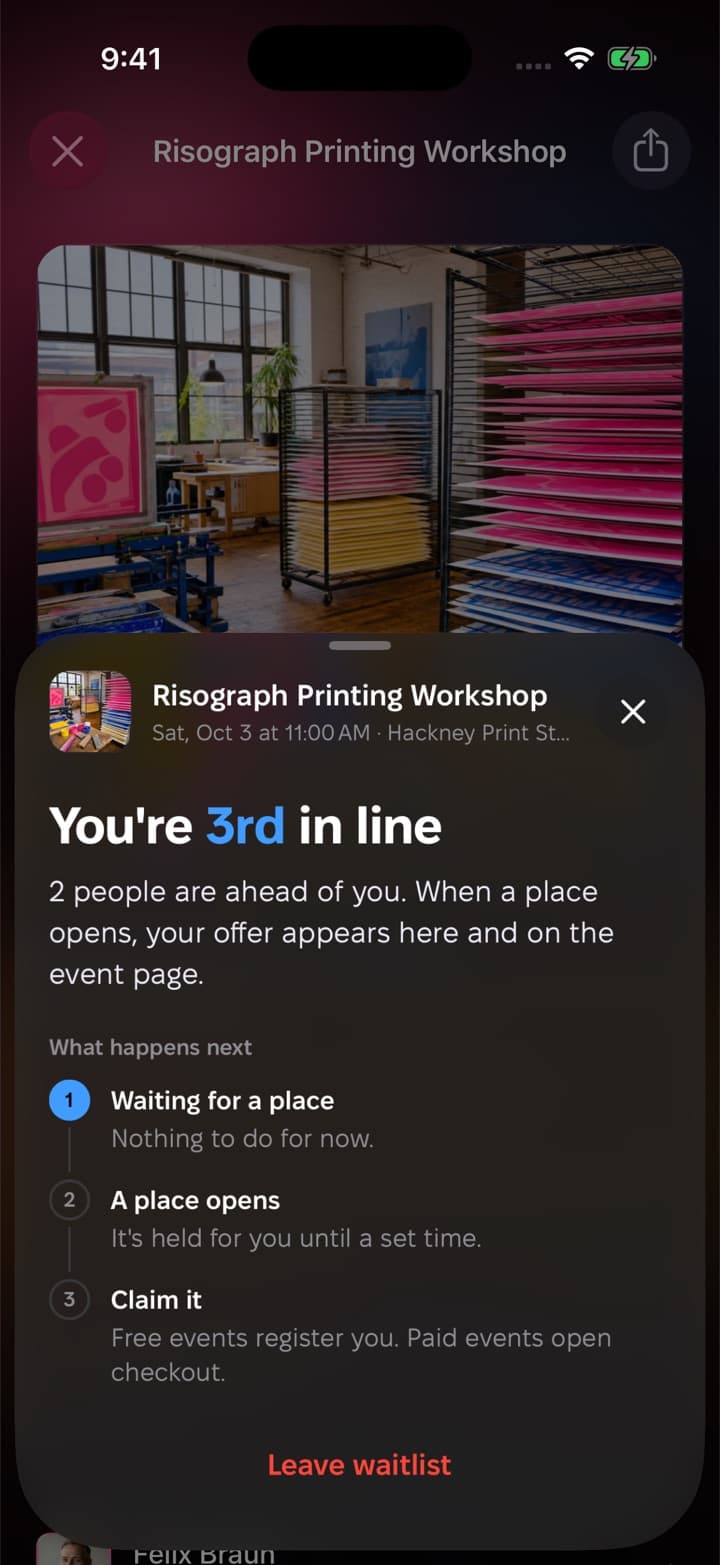
When the event is full, people join the line instead of giving up. Each place that opens goes to the next person, and they have a set time to claim it.



How it works

The event fills up
01. Once every place is taken, the event page offers the waitlist instead of registration, in the app and on the web.
A place opens, an offer goes out
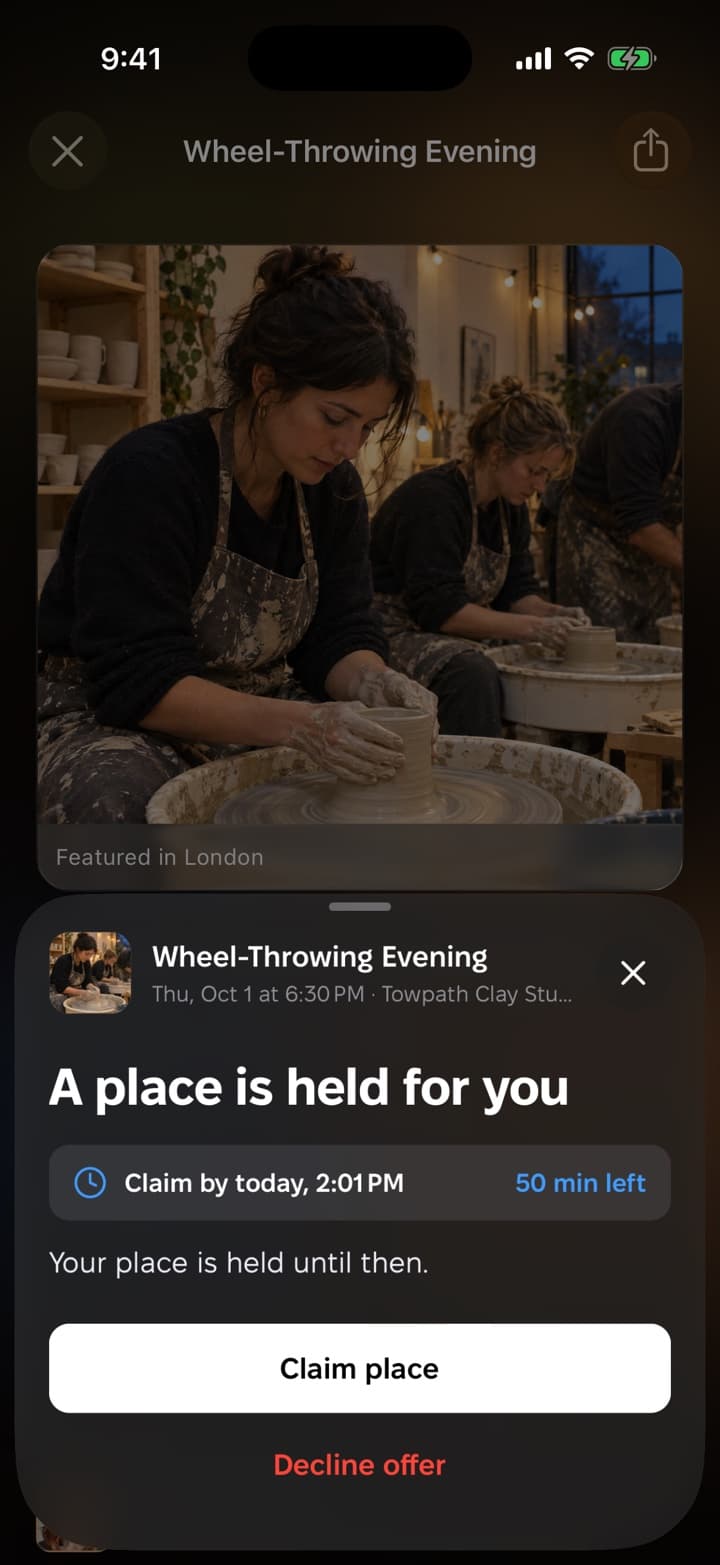
02. When someone cancels, the next person in line gets a notification that a place is held for them.
You stay in control
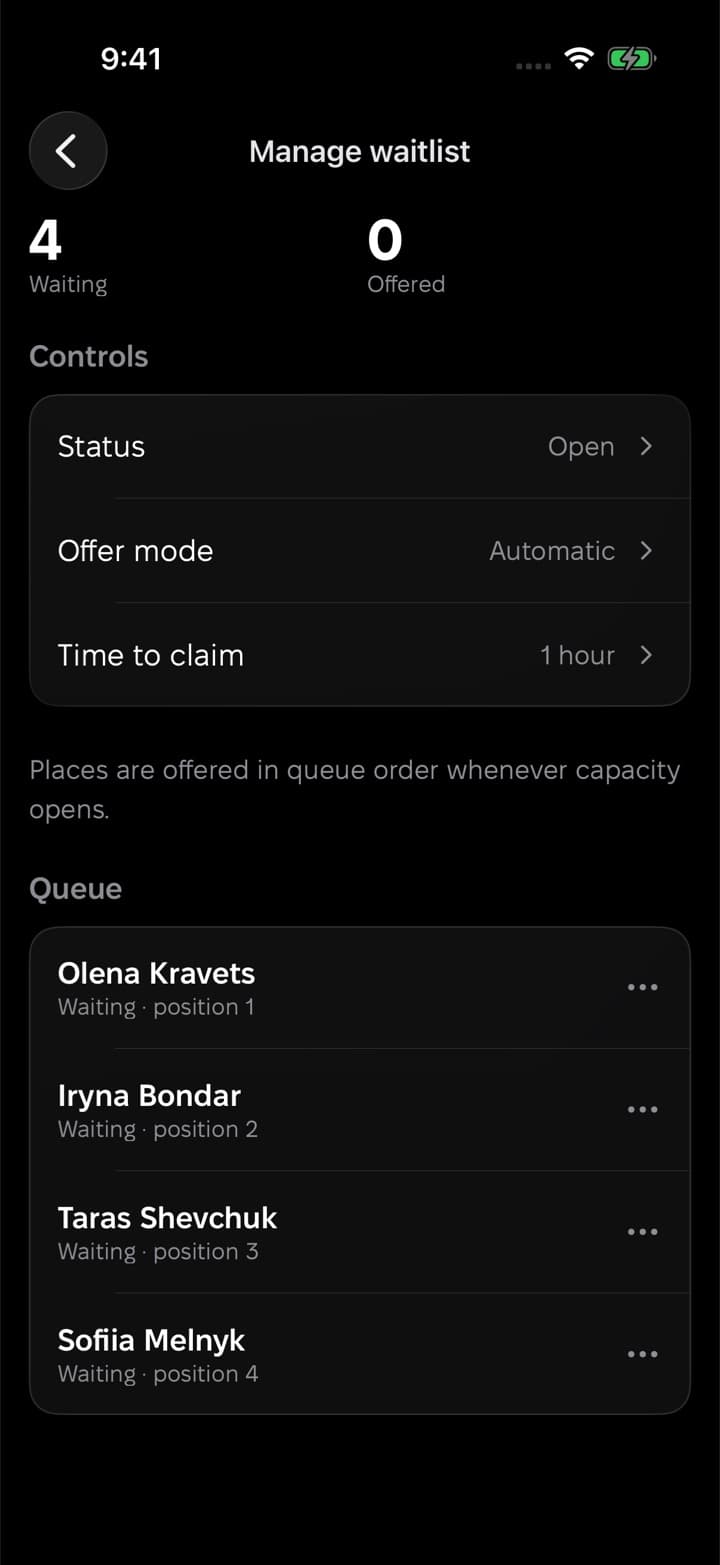
03. See who is waiting and in what order, pause the queue, or send offers yourself.
Run the line your way
Automatic or manual offers
Let Nook offer each place as it opens, or decide yourself who gets the next one.
A time to claim
Choose how long an offered place is held. If it isn't claimed in time, it passes to the next person.
Guests see their place
Everyone waiting sees where they stand, and can leave the line in one tap.
Does joining the waitlist register a guest?
No. Joining puts them in line. They are registered only when they claim a place that is offered to them.
What happens if nobody claims an offer?
When the claim time runs out, the place is offered to the next person in line.
Can guests without the app join?
Yes. The waitlist works on the event's web page too, with a Nook account.
Can I stop the waitlist?
Yes. You can pause it or close it at any time from the event's waitlist settings.
Invitations and private events
Keep an event off the feed and decide who is on the list: invite people by name or email, or share a link, and take any invitation back.
Want a hand with your first event?
We usually reply within a day. Write to us and we'll help you set up your event, your organization or your guest list.
Or start on your own
Download Nook, sign in and publish your first event. It takes a few minutes.