 EN
EN UA
UA PL
PL DE
DE IT
IT FR
FR ES
ESInvitations and private events
Keep an event off the feed and decide who is on the list: invite people by name or email, or share a link, and take any invitation back.



How it works
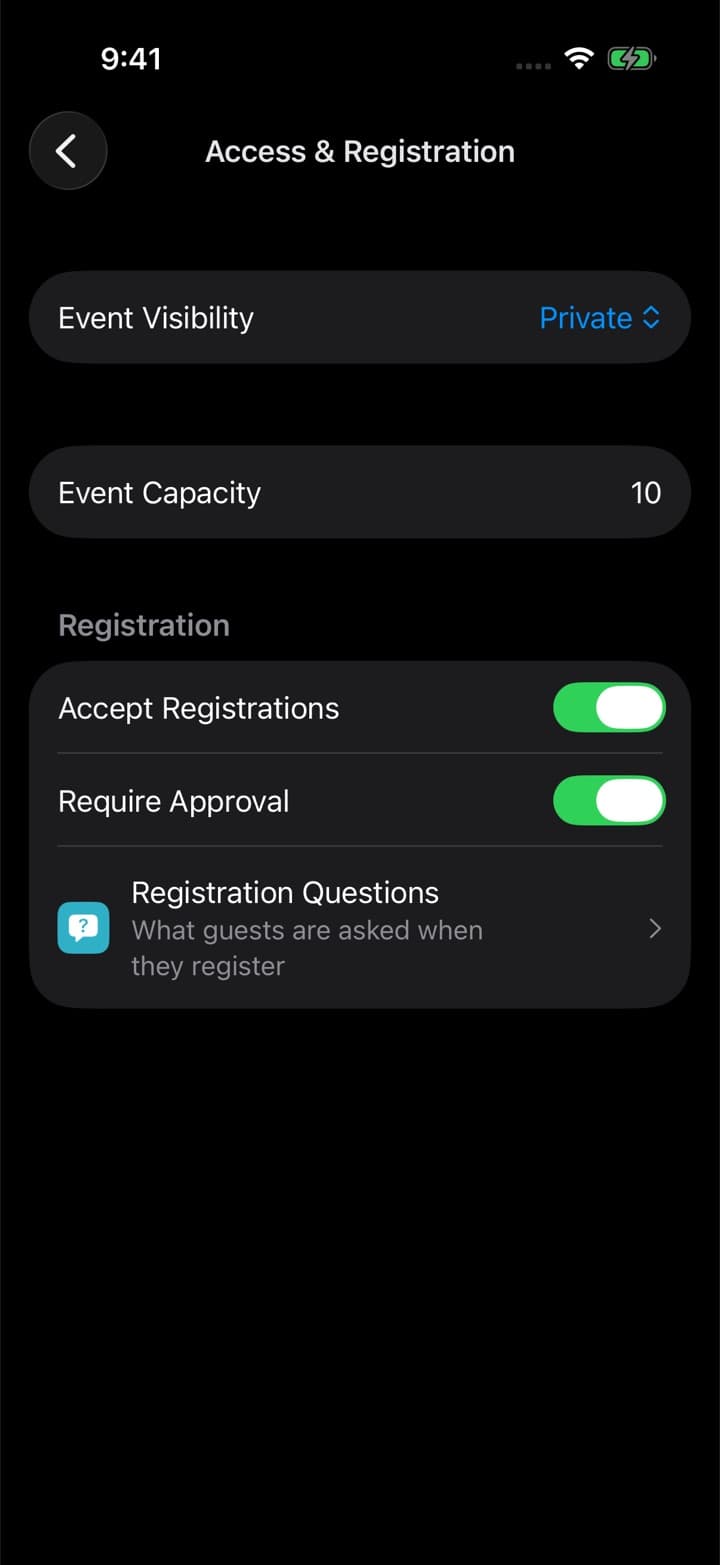

Make it private
01. Set the event to private, and turn on approval if you want to see every request before it becomes a place.
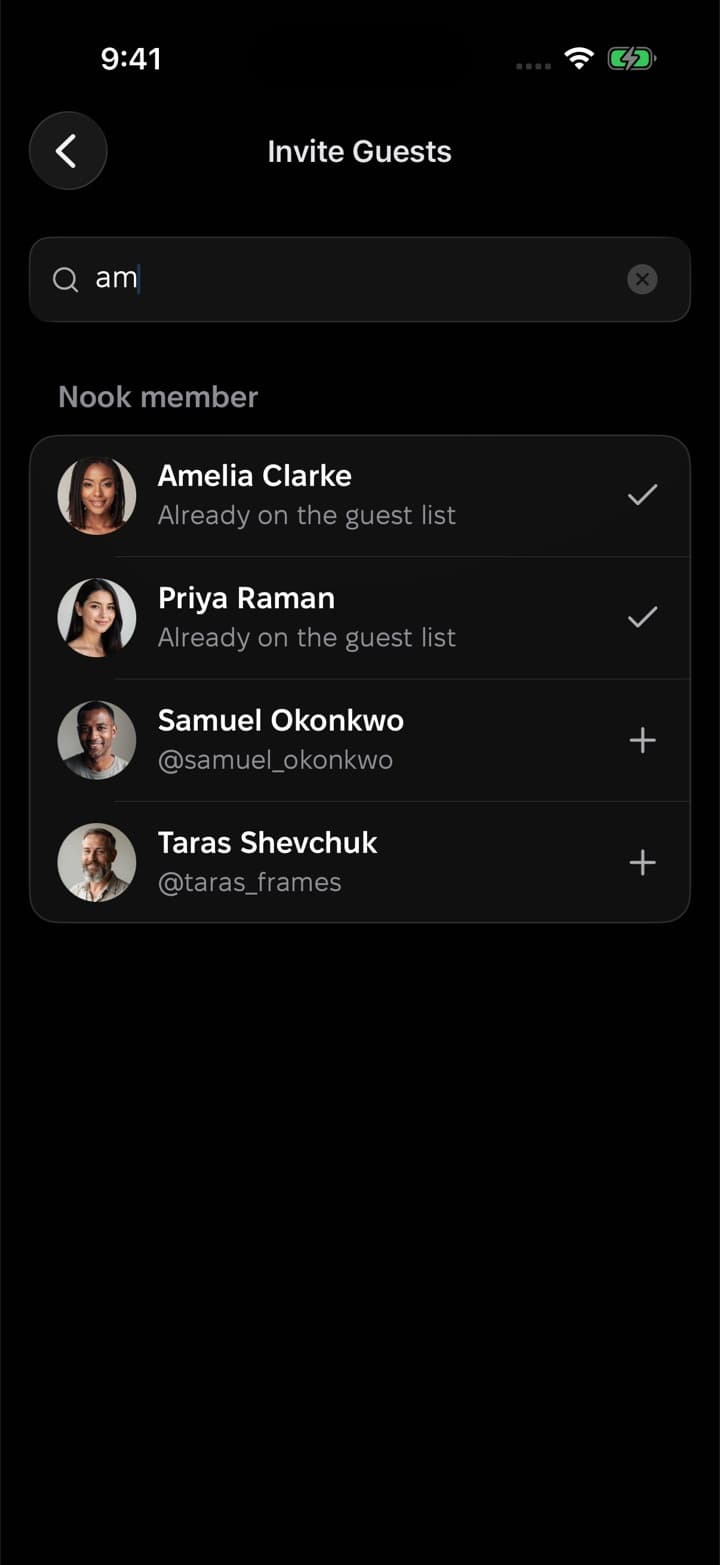
Invite people
02. Find Nook members by part of their handle, or type an email address for anyone who isn't on Nook yet.
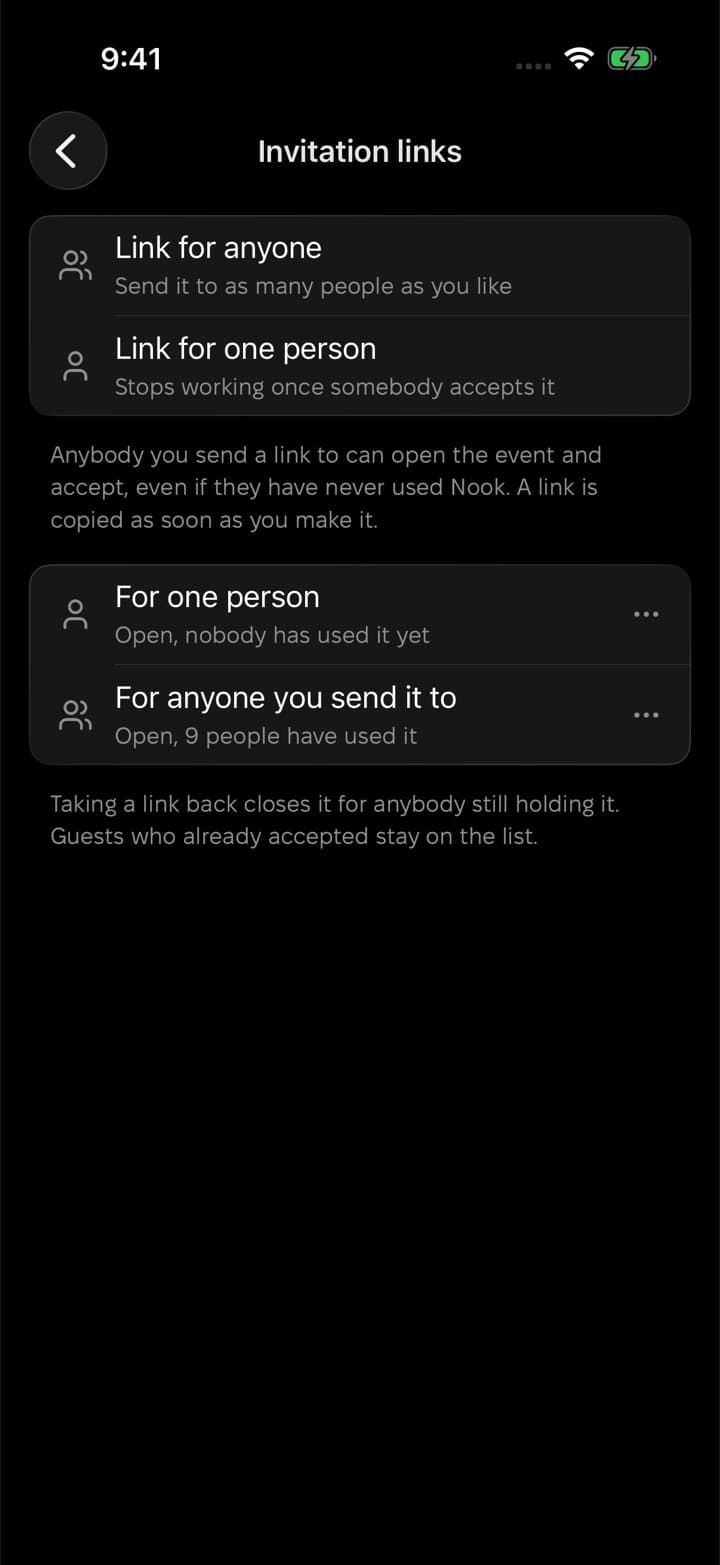
Or share a link
03. Make a link for one person, or one for everyone you send it to. Each one shows how many people used it.
Guests accept in a tap
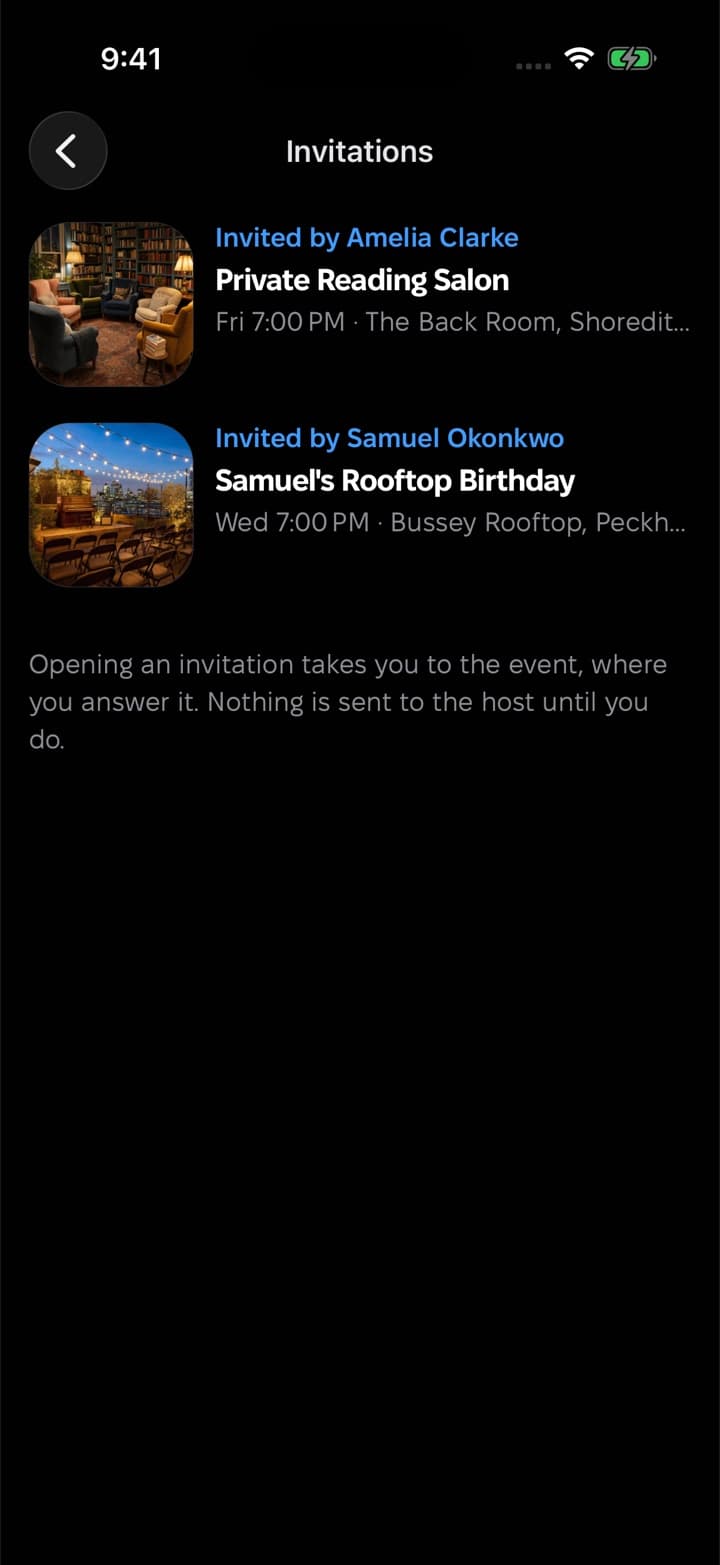
04. Invitations wait in the guest's inbox until they accept or decline, and the answer lands on your guest list.
Decide who comes
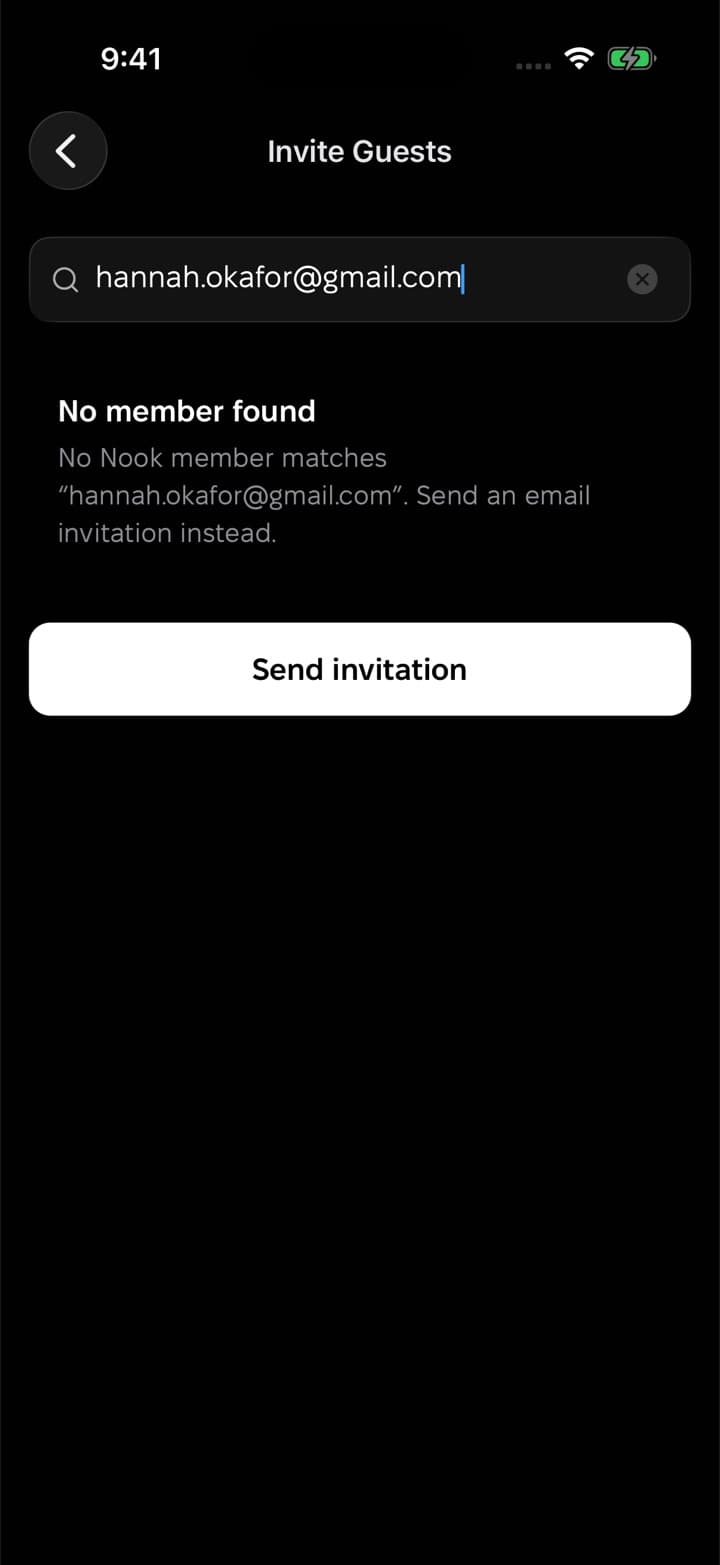
Invite by email
Anyone without Nook gets an email with a link to the event, and can register from there.
Links you can take back
Revoke any invite link, and it stops working for anyone who hasn't used it yet.
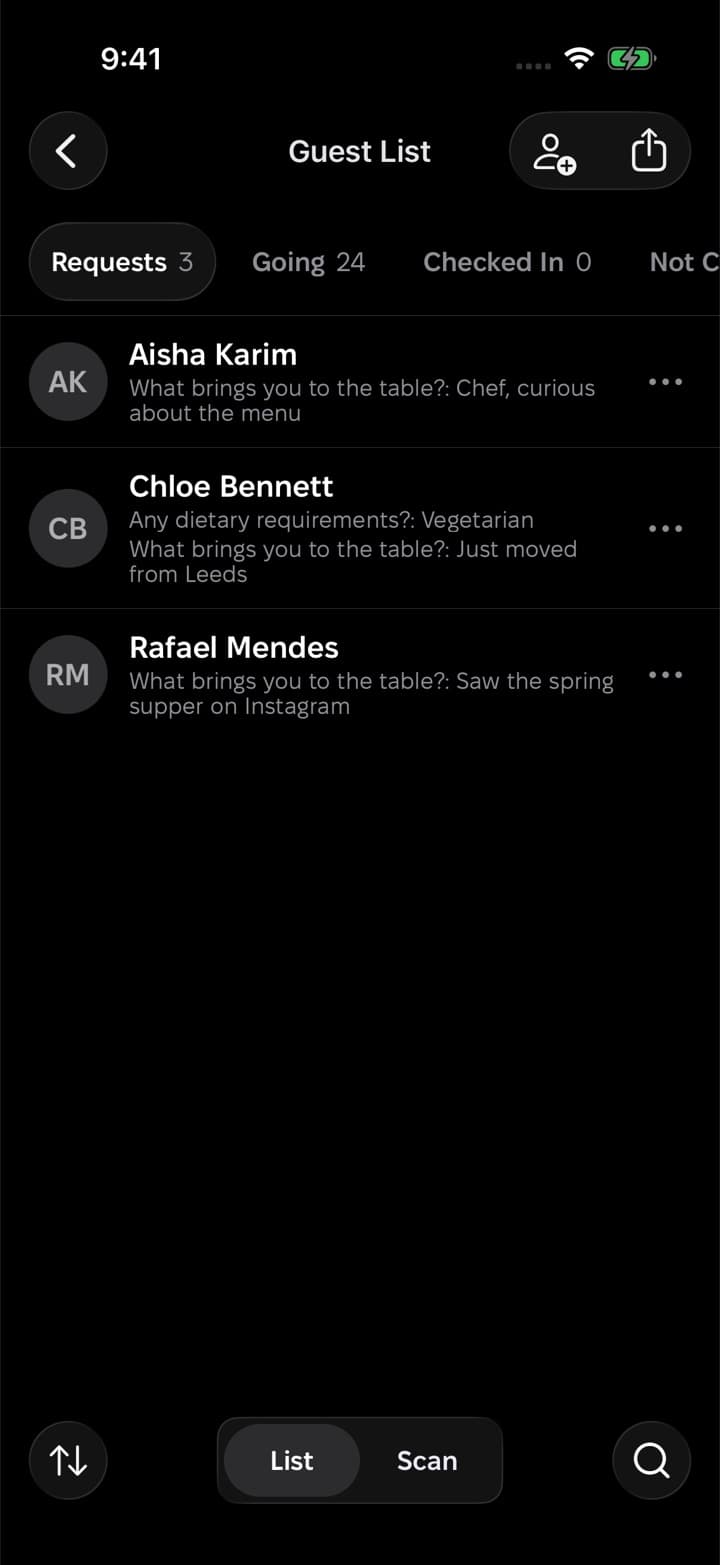
Approval for every request
With approval on, requests wait with their answers until you let each person in.
Who can see a private event?
A private event stays off the feed, the map and search. People reach it through your invitations and links.
Can I invite someone who isn't on Nook?
Yes. Invite them by email, or send them a link. The link opens in any browser.
Can I take an invitation back?
Yes. Revoke an invite link, or withdraw a guest's invitation from the guest list.
Can I see who used a link?
Each link shows how many people have used it, and everyone who registered through it is on your guest list.
Host as an organization
A studio, a club, a collective: give it a page of its own, bring your team in, and publish every event under its name.
Want a hand with your first event?
We usually reply within a day. Write to us and we'll help you set up your event, your organization or your guest list.
Or start on your own
Download Nook, sign in and publish your first event. It takes a few minutes.