 EN
EN UA
UA PL
PL DE
DE IT
IT FR
FR ES
ESEvent registration
Guests sign up through one link and answer your questions before they arrive. No form to build, and no app they have to install.



How it works
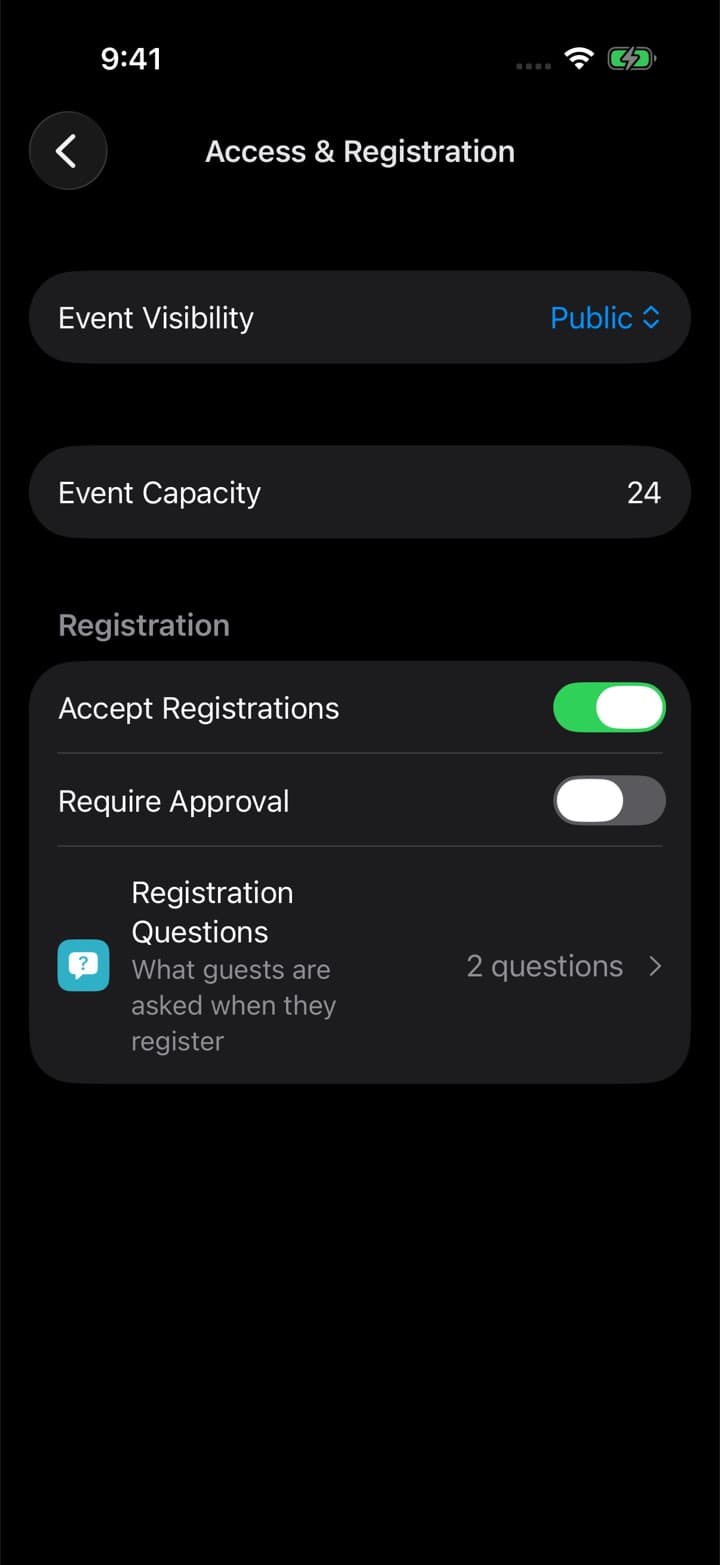

Turn registration on
01. In Access and registration, switch on Accept registrations. Capacity and approval live in the same place.
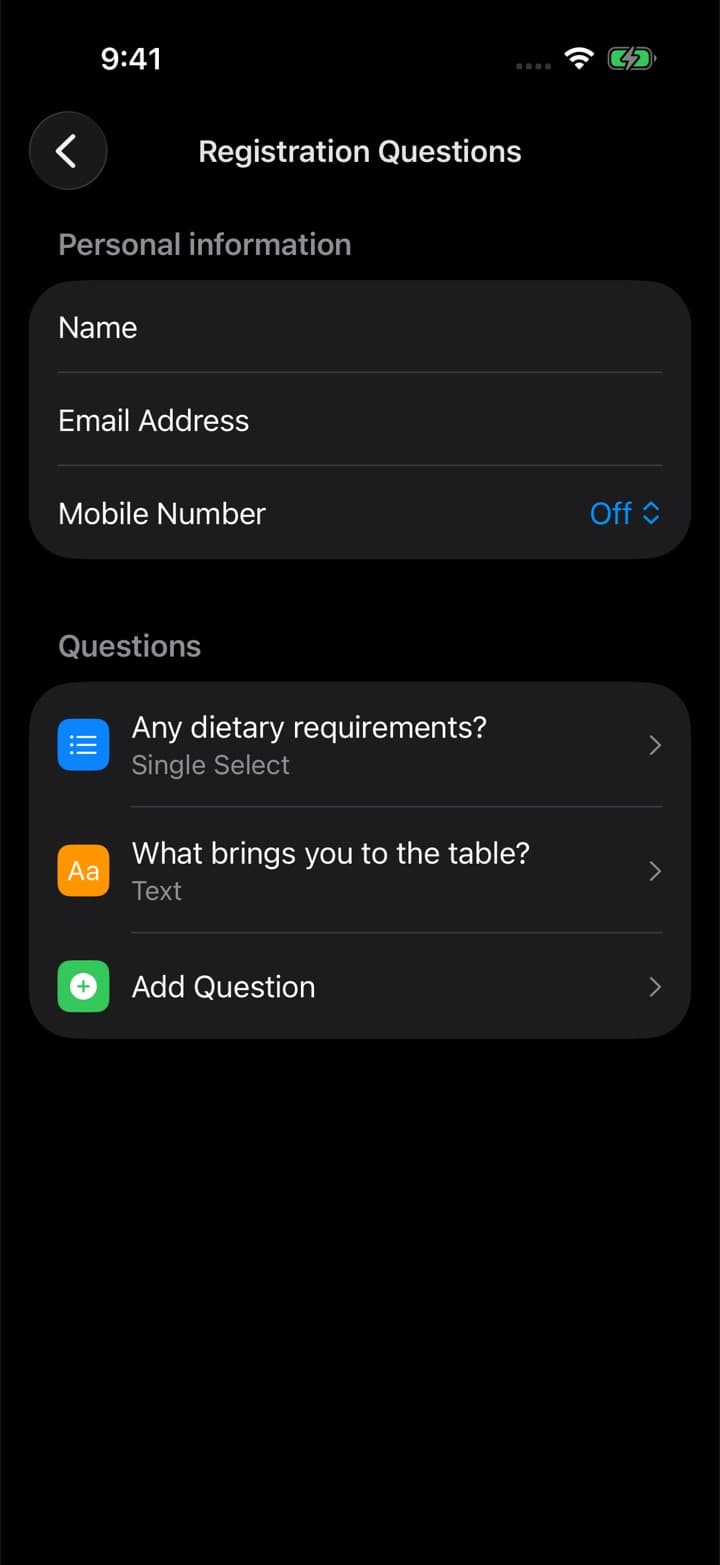
Add your questions
02. Name and email come from the guest's account. Add only what you actually need to know — arrival time, plus-ones, anything else.
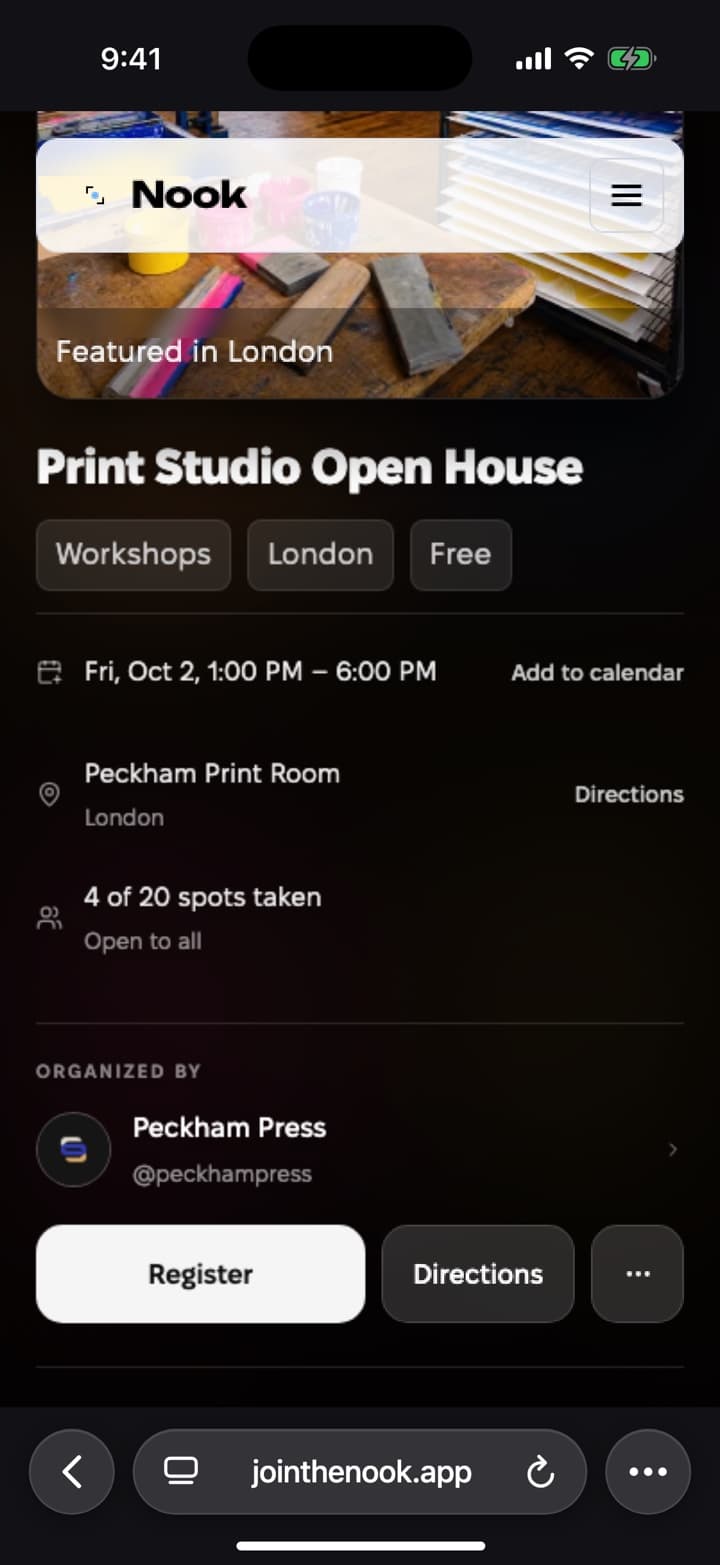
Share the event link
03. The link opens in any browser, so guests see the event and register without installing anything.
Replies land in one list
04. Every guest arrives on the list with their answers beside their name.
Registration the way your event needs it
Capacity
Set how many people fit. Registration closes once it fills, so nobody signs up for a place that does not exist.
Approval
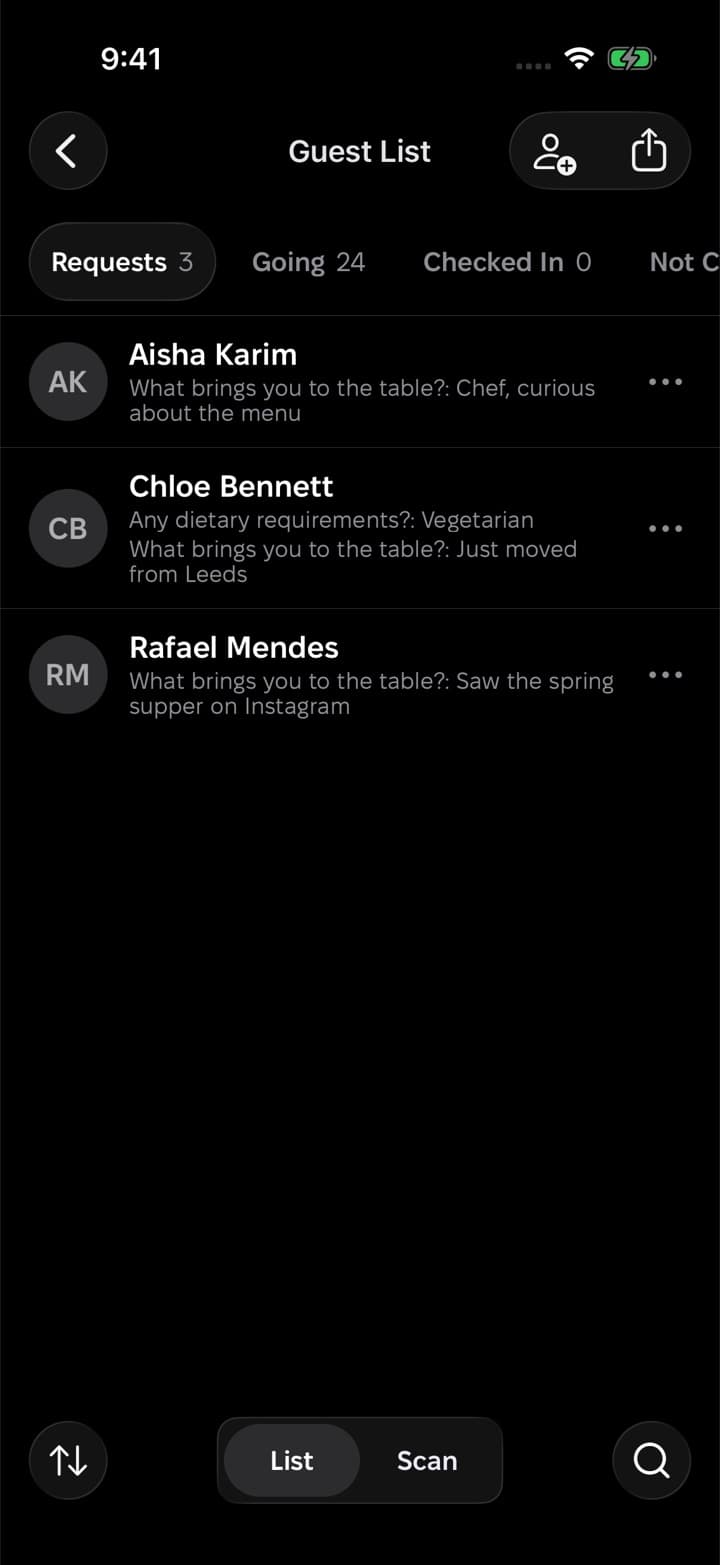
Turn on approval and requests wait in their own tab, answers attached, until you let each person in.
Invite links
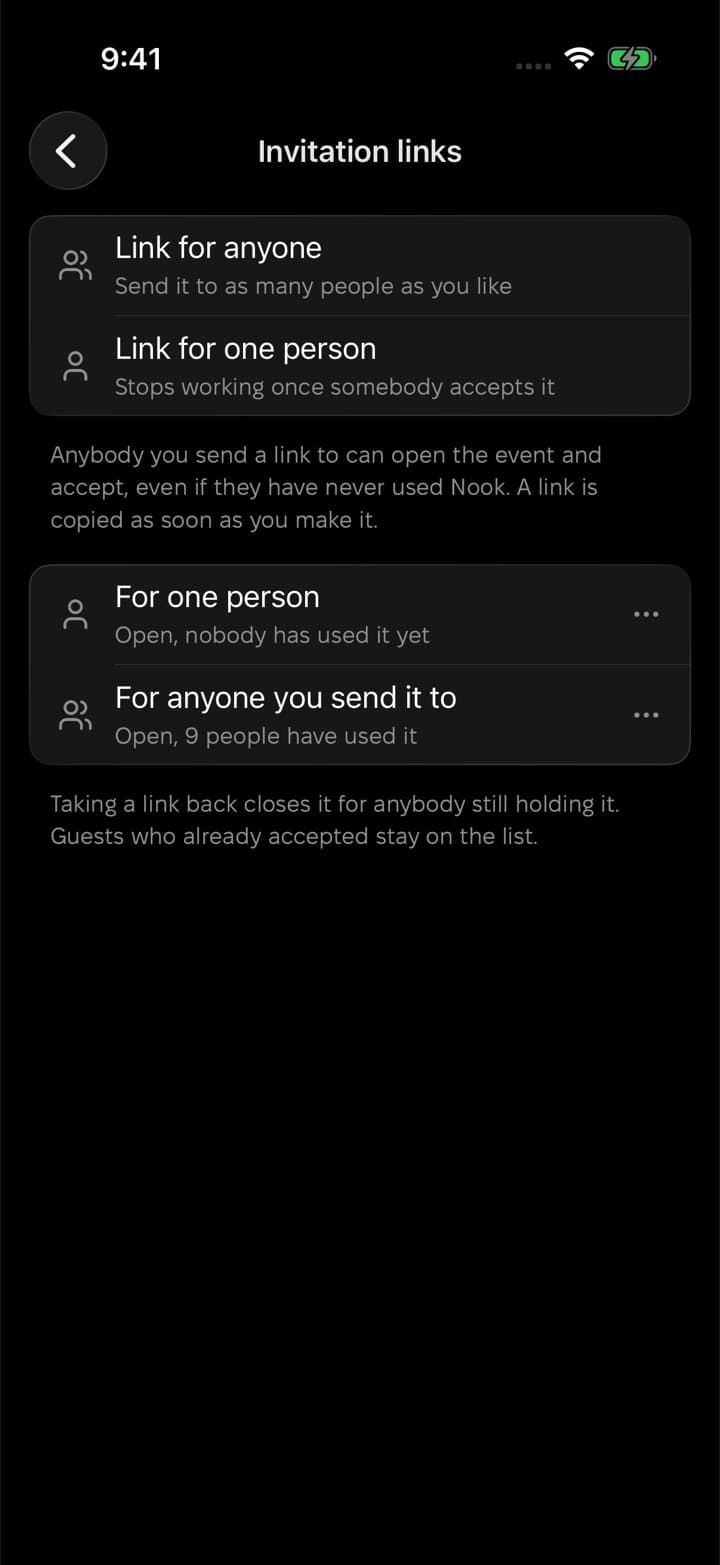
For a private event, make an invite link for one person or for everyone. Any link can be revoked.
Registration in the browser
Guests without the app open the event on the web and register there with a Nook account.
Phone number only when needed
Ask for a phone number only for events where you will call people; otherwise it stays off.
Do guests need to install Nook?
No. The event link opens in any browser, and guests register there with a Nook account.
What can I ask guests?
Name and email come from their account. You add your own questions, and can ask for a phone number when you need one.
What happens when the event is full?
Registration closes once the capacity is reached.
Can I choose who comes?
Yes. Turn on approval and every request waits in its own tab, with the answers, until you accept it.
Does registration cost anything?
No. Registration for free events is free.
Guest list and check-in
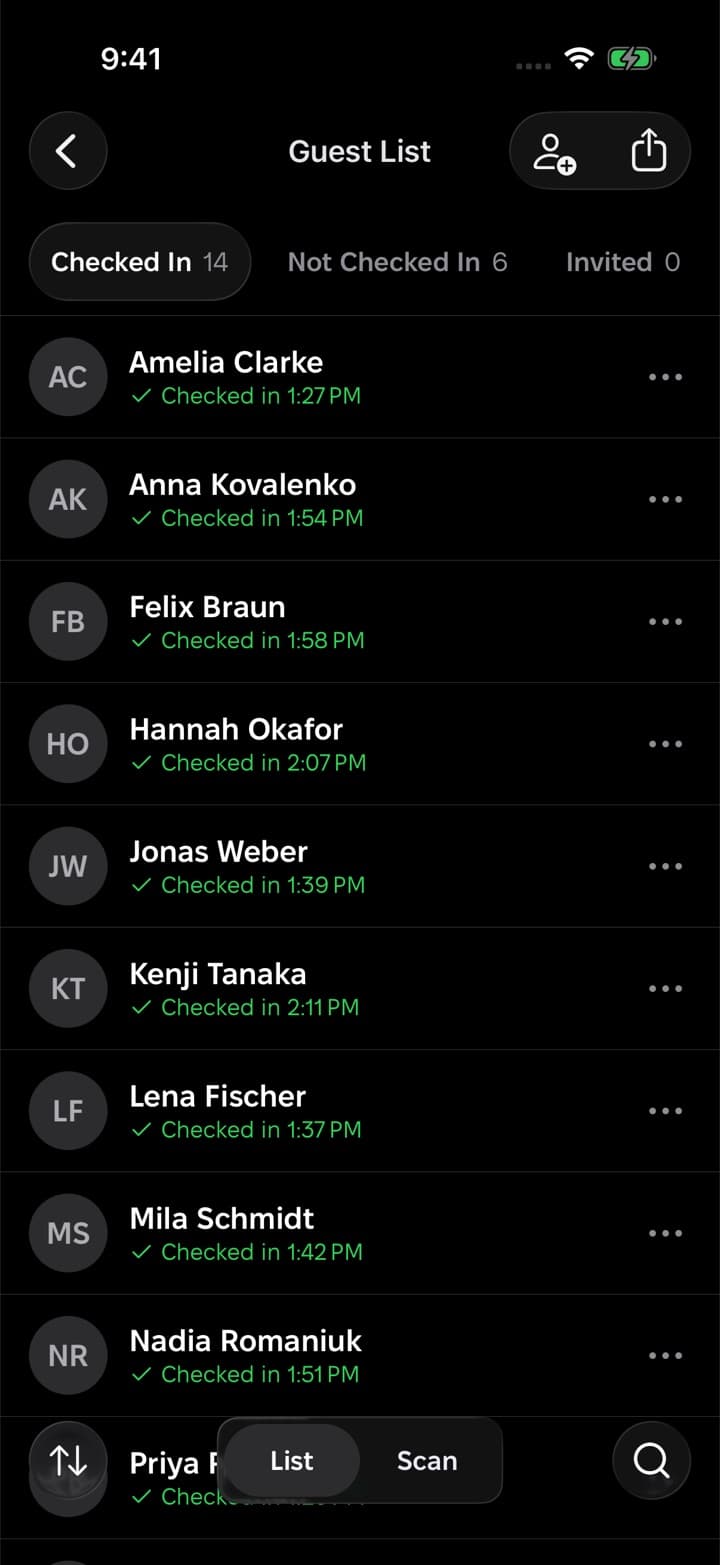
Everyone who registered, in one list with their answers. At the door, scan a guest's code or tap their name.
Want a hand with your first event?
We usually reply within a day. Write to us and we'll help you set up your event, your organization or your guest list.
Or start on your own
Download Nook, sign in and publish your first event. It takes a few minutes.